
Background checks help employers verify candidate information and assess whether someone meets the requirements of a role. But when your team is handling multiple vacancies, collecting applications, chasing references and tracking outstanding checks can become a substantial job in itself.
An effective screening process needs both appropriate checks and a reliable way to manage them.
This guide explains the main types of employment background checks, how to select them for different roles, and where EBC Pro can help your team reduce repetitive administration.
Already managing background checks across your recruitment team? Explore our packages and start your free 12-day trial.
What are employment background checks?
Employment background checks are checks used during recruitment to verify relevant information about a candidate. Depending on the role, they may cover identity, right to work, employment history, qualifications, criminal records or other relevant information.
There is no single background check that answers every recruitment question. A criminal record check, for example, does not establish someone’s right to work or confirm their qualifications.
The checks you select should reflect the job, sector requirements and risks involved. Our guide to pre-employment screening explains how these checks fit into the wider recruitment process.
Choosing the right checks is only one part of building an effective screening process. Employers must also consider when screening is necessary, what information they can legally verify and how to avoid common mistakes.
For further guidance, explore our article on common misconceptions about employee background checks, where we address seven widespread myths and explain how employers can approach screening more confidently and efficiently.
Ten types of background checks employers may need
Use this list as a starting point for your screening process. It is not a requirement to carry out every check on every candidate.
| Background check | What it helps establish | When to consider it |
|---|---|---|
| Identity verification | Whether the candidate is who they say they are | When establishing identity for the relevant screening process |
| Right to work | Whether the person has permission to perform the work in the UK | Before employment begins, using the appropriate checking route |
| Employment history and references | Relevant details about previous employment and experience | Where previous work, employment dates or references matter to the role |
| Qualifications and professional registration | Whether required credentials are valid | Where a qualification or professional registration is necessary |
| Criminal record checks | Criminal record information available at the permitted disclosure level | Where appropriate or required, with eligibility established first |
| Driving licence checks | Whether the person holds the relevant driving entitlement | Where driving forms part of their work |
| Financial or credit checks | Financial information relevant to identified responsibilities and risks | Where the role justifies this level of screening |
| Social media screening | Relevant publicly available information assessed against defined criteria | Where a documented, proportionate reason supports its use |
| International checks (criminal/financial) | Relevant information from countries where a candidate has lived or worked | Where overseas history needs verification |
| International Sanctions screening | Potential matches against relevant sanctions lists | Where applicable obligations or a documented risk assessment justify it |
For criminal record screening, check the appropriate route for the jurisdiction. Standard, Enhanced and Enhanced with Barred Lists DBS checks have specific eligibility requirements; a more detailed check is not automatically appropriate for every job. Consult the official DBS eligibility guidance.
To explore the services available through EBC Global, view our employment screening and background checks.
How to choose background checks for high-risk roles
Start with the responsibilities of the role and the potential consequences of information being incomplete or incorrect.
Consider whether the person will work with vulnerable groups, handle sensitive information, control funds, drive for work or need a particular professional qualification. Then establish the checks required or justified for those responsibilities.
For example, a role involving driving raises different screening questions from a finance position or a job requiring professional registration. Even within one organisation, the appropriate checks can vary considerably.
Record why each check is included, who will review its outcome and how discrepancies will be handled. This gives recruiters a repeatable process while allowing requirements to vary by role.
If you are reviewing your requirements, our guide to which pre-employment checks employers need provides a useful starting point.
Pre-employment vetting also needs a proportionate approach to personal information. The ICO’s guidance on candidate vetting explains when vetting is justified and how employers should approach it.
Ensuring Compliant Background Checks
A consistent background checking process starts with selecting the appropriate checks for each role. Not every candidate needs every check: your approach should reflect legal obligations, sector requirements and the responsibilities involved.
For employers, HR teams and recruitment agencies, reviewing the following questions can help identify gaps and unnecessary administration:
- Have we defined our screening requirements?
Establish which checks are required or justified for each role, and document why they are needed. - Are we eligible to request the checks we have selected?
Confirm any restrictions before proceeding, particularly for Standard, Enhanced, and barred-list DBS checks. - Do candidates understand the process?
Explain what information you need, why you need it and how it will be used. - Are we handling candidate information appropriately?
Review your lawful basis, access controls, retention periods and deletion procedures against the ICO’s guidance on pre-employment vetting. - Can our team see what is outstanding?
Make it clear which applications, references and checks need attention, and who is responsible for following up. - Are manual tasks creating avoidable delays?
Identify repeated data entry, incomplete forms and reference chasing that could be managed more efficiently. - Are results reviewed fairly and consistently?
Assess findings against relevant role requirements, give candidates an opportunity to explain discrepancies and avoid discriminatory assumptions. - Can we demonstrate how screening decisions were reached?
Keep an appropriate record of completed checks, reviews and decisions, including any outstanding issues.
EBC Pro employment screening software can help organise this process through customised application forms, pre-filled candidate information, automated reference and form chasing, and consolidated final reports. Feature availability depends on your package and configuration.
Your organisation remains responsible for selecting appropriate checks, reviewing results and making hiring decisions. Software supports the administration and records around those responsibilities.
How to manage background checks across a recruitment team
Selecting the checks is only the beginning. Your team also needs to collect information, follow up on missing responses and review the results.
A practical workflow is to:
- Define the requirements. Agree the screening needed for the role or client before inviting the candidate.
- Collect candidate information. Explain what is needed and provide a clear way to submit it.
- Review the application. Resolve missing information or discrepancies before initiating the relevant checks.
- Track outstanding actions. Identify which forms, references and results still need attention.
- Review and record the outcome. Assess the findings and retain an appropriate screening record.
Our step-by-step guide to employment background checks explores the process in more detail.
For recruitment agencies working across several industries, use agreed workflows for different requirements. This helps recruiters follow the correct process without deciding everything again for each placement.
Assign responsibility for reviewing results and handling exceptions, particularly when recruiters, clients and compliance teams are all involved. For further guidance on organising this work, read our HR best practices for pre-employment background checks.
Reduce manual administration with EBC Pro
When candidate information sits across emails, spreadsheets and separate portals, answering a simple question—“What are we waiting for?”—can take several steps.
EBC Pro employment screening software brings candidate applications, screening checks and results into one platform.
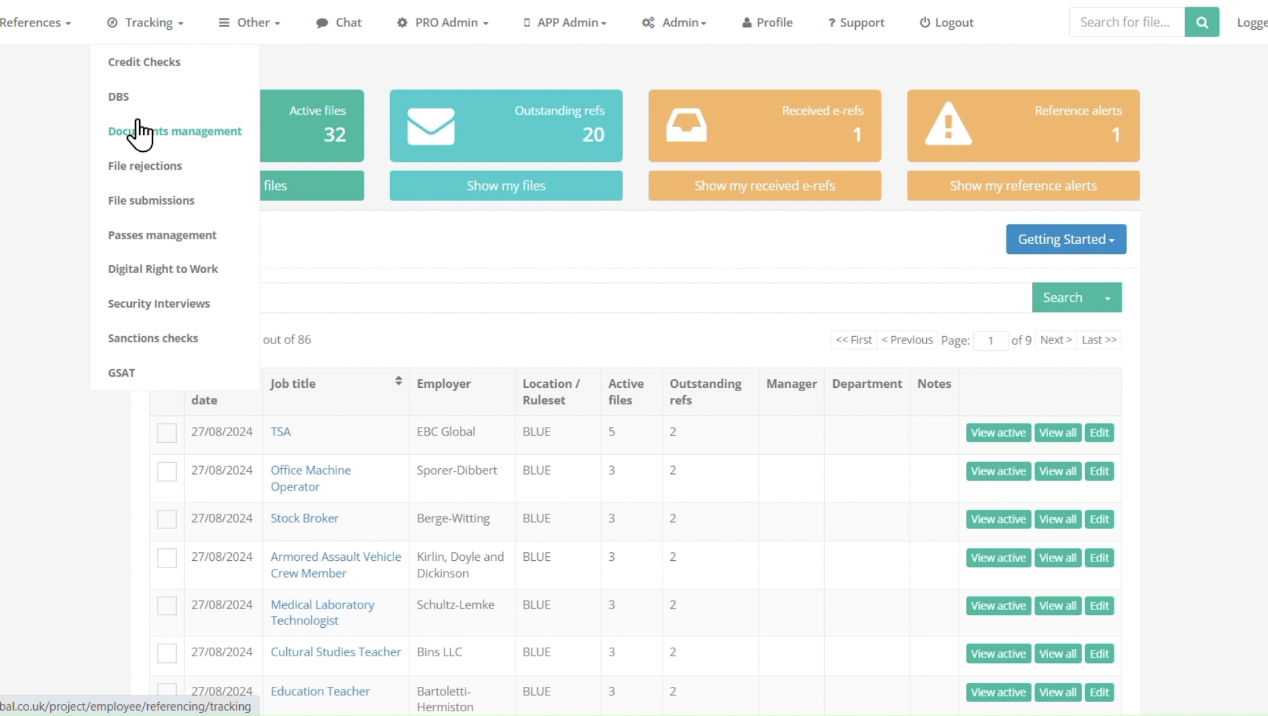
Collect information through branded application forms
Send candidates a customised, branded application form requesting the information needed for their screening workflow. A consistent starting point helps your team organise applications and identify what needs reviewing.
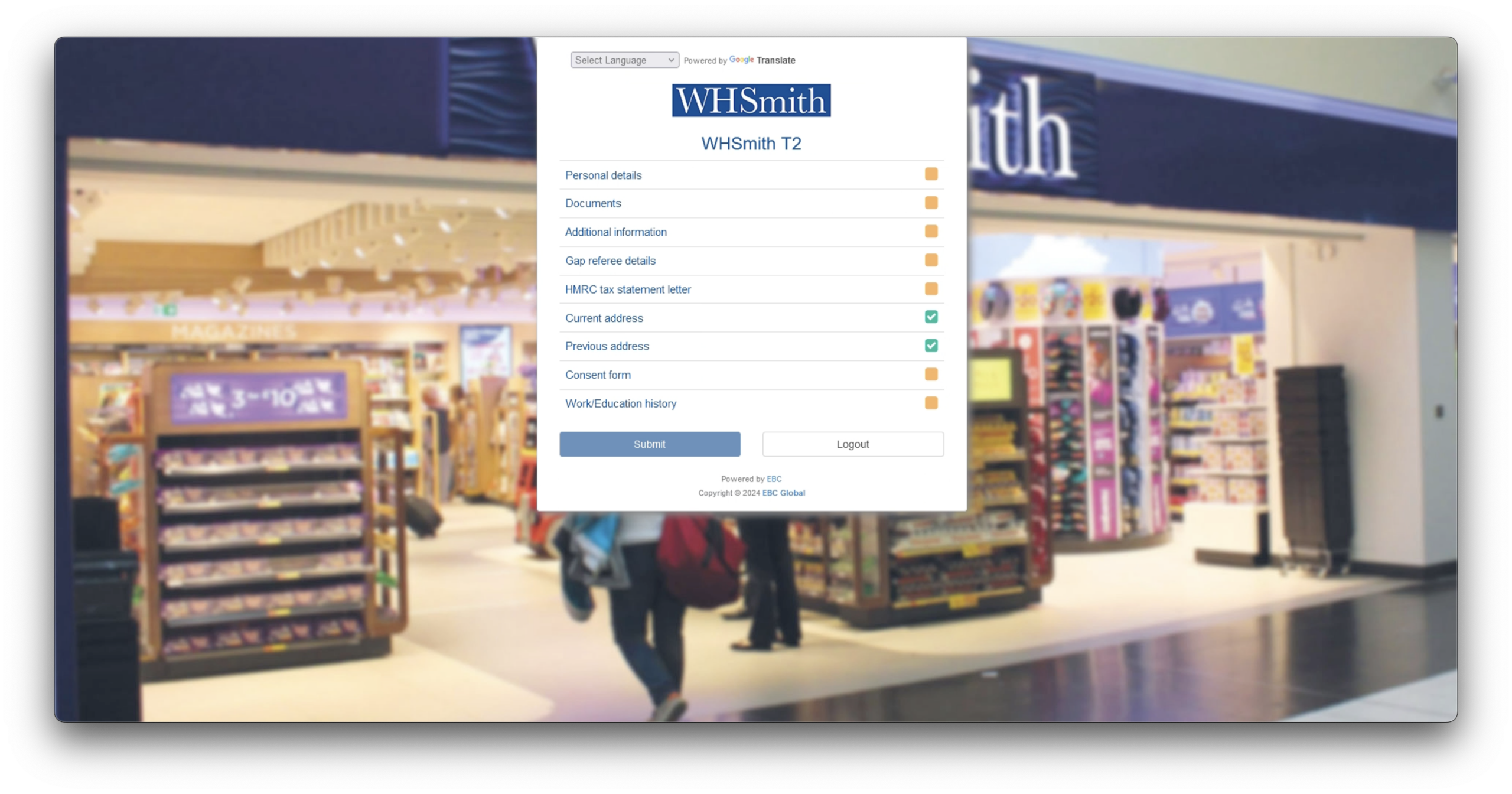
Reduce repeated data entry
Candidate information can pre-fill relevant check sections, ready for your team to initiate the checks.
This reduces the need to copy the same details repeatedly during screening. Your team still reviews the application and selects the appropriate checks.
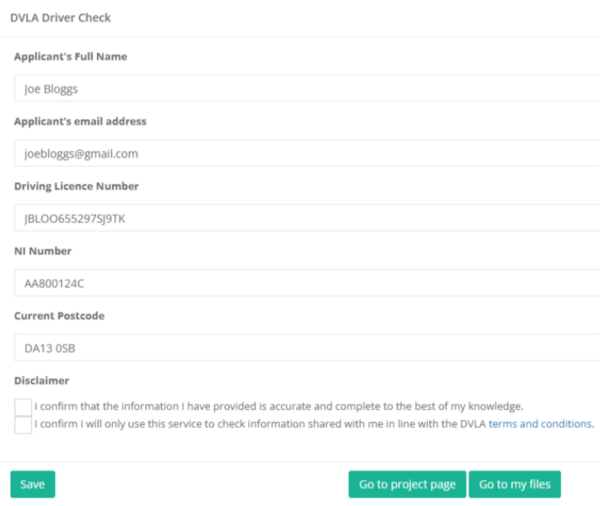
Use validation to identify discrepancies
Built-in validations can flag discrepancies that require manual review. This is separate from pre-population: one helps identify information needing attention, while the other reduces repeated entry.
Simplify DBS identity verification with DBS HI-ID
Identity verification is an important step in the DBS application process. Managing it alongside candidate forms and submissions can create additional work for recruitment teams.
Designed to achieve high confidence in candidate identity, DBS HI-ID provides an automated digital identity verification journey that connects identity checks, Right to Work verification, address and mortality checks, and DBS application submission. Standard and Enhanced DBS HI-ID journeys also include international sanctions and PEPs screening.
Candidates receive a branded link to provide consent, capture a live selfie and upload an identity document, typically a biometric passport. The workflow automates identity checks and the completion, countersignature and submission of the DBS application, helping reduce manual handling and supporting a consistent screening process.
Your team still needs to select the appropriate DBS level and confirm eligibility for the role.
Learn more about automating DBS digital identity verification with DBS HI-ID.

A screening process redesigned to reduce delays
EBC Global is a DBS Responsible Organisation and Registered Body (RO/RB), enabling us to submit eligible DBS applications directly.
We have re-engineered the screening process around predefined, role-specific workflows, reducing unnecessary manual handling and third-party involvement. This approach has helped bring average screening processing times down from 23 days to around 10 days.
For the DBS stage specifically, 1 in 2 Enhanced DBS checks processed through our DBS HI-ID journey are returned within 48 hours.

These figures describe different stages of screening: the wider process and the Enhanced DBS check itself. Individual times vary depending on the checks required, candidate information and any further police enquiries.
Book a demo to see how EBC Pro could help your team reduce screening administration.
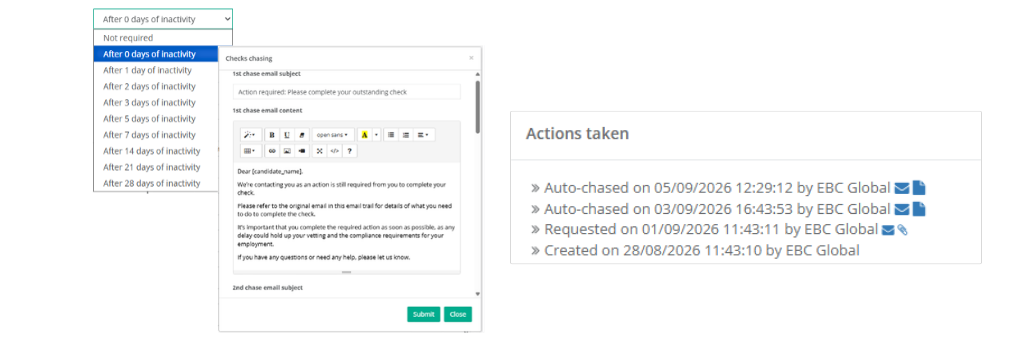
Automate reference and form chasing
Following up on unanswered references and incomplete forms creates recurring work for recruitment teams.
EBC Pro supports automated reference and form chasing, depending on package and configuration. This can reduce routine follow-up while your team focuses on exceptions and responses that need attention.
Keep progress and final reports together
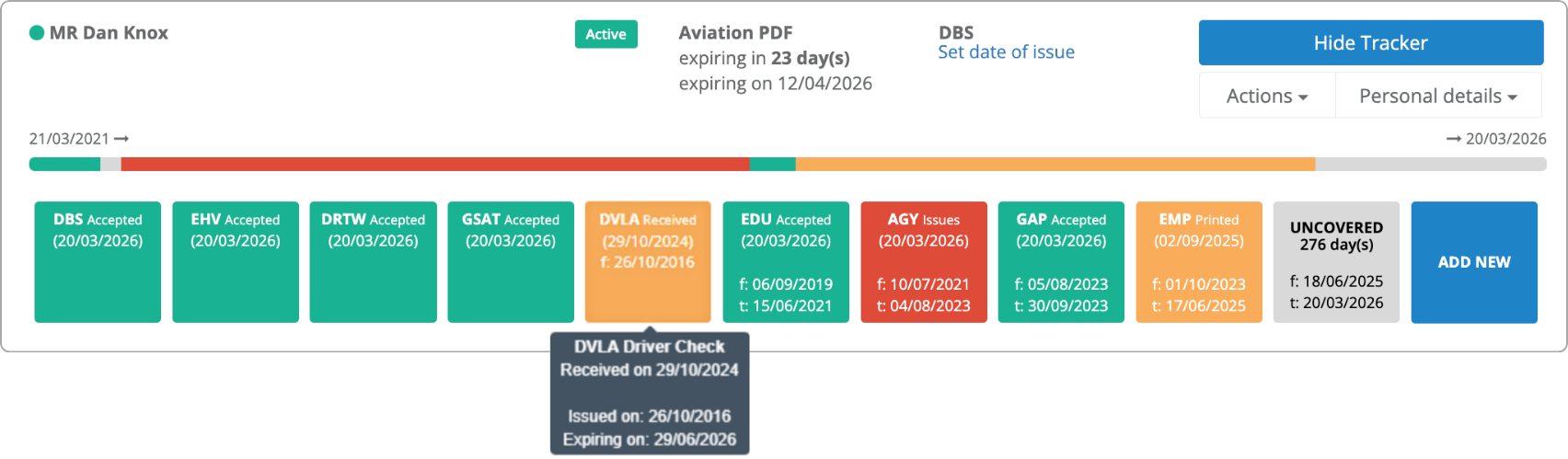
Track candidate progress and retain returned results and certificates in the candidate file. Completed checks and certificates can then be consolidated into a downloadable PDF report, giving your team a central screening record to review.
Your team remains responsible for assessing findings and making hiring decisions.
For a closer look at how automation supports these tasks, read our guide to software for background checks.
Want to see how applications, references and reporting could work for your team? Book an demo.

What to evaluate during a background screening software trial
Use the trial to assess the work your team repeats most often.
Choose a representative screening workflow and consider:
- Can recruiters collect the information they need through the application form?
- Where does pre-population reduce repeated entry?
- Can the team identify outstanding forms, references and checks easily?
- Which follow-ups can be automated in the selected package?
- Does the final report provide the record your team needs?
Start with a specific problem, such as repeated data entry or reference chasing. This makes it easier to judge whether the platform fits your operation.
Compare the available screening software packages to find an appropriate starting point for your team.
FAQ’s about background checks
Software can help agencies organise candidate information and screening tasks when managing multiple placements.
The practical value is in reducing repeated administration, making outstanding actions visible and helping recruiters follow the agreed screening process for each role or client.
Employers can define screening requirements around the role, subject to applicable eligibility and legal requirements.
Within EBC Pro, your team can select a predefined set of checks or choose individual checks after reviewing the application. Discuss your requirements during onboarding to establish the appropriate setup.
Only where a financial or credit check forms part of the selected screening. It is not an automatic component of every employment background check.
Establish why the check is necessary for the role and how the information will be used. The ICO guidance linked above explains the importance of proportionate vetting.
There is no single completion time. It depends on the checks selected, the information provided and responses from candidates, referees and external organisations.
Clear applications and timely follow-up can reduce avoidable administration. Software cannot guarantee when an external organisation will complete a check.
Put your background checking process into practice
If your recruiters spend too much time re-entering information, following up on forms or searching for screening updates, use an EBC Pro trial to explore a more organised process.
Submit your details and you’ll be invited to book a 15-minute onboarding call. The team will help you get set up and introduce you to the platform.
Prefer to discuss your screening requirements first?


